Fritz!Box for fiber or DSL? Practical buying guide with comparison of DSL routers, fiber routers, ONT and SFP modules – including specific model recommendations.
Buying Guide: Fritz!Box for Fiber and DSL – How to Find the Right Model
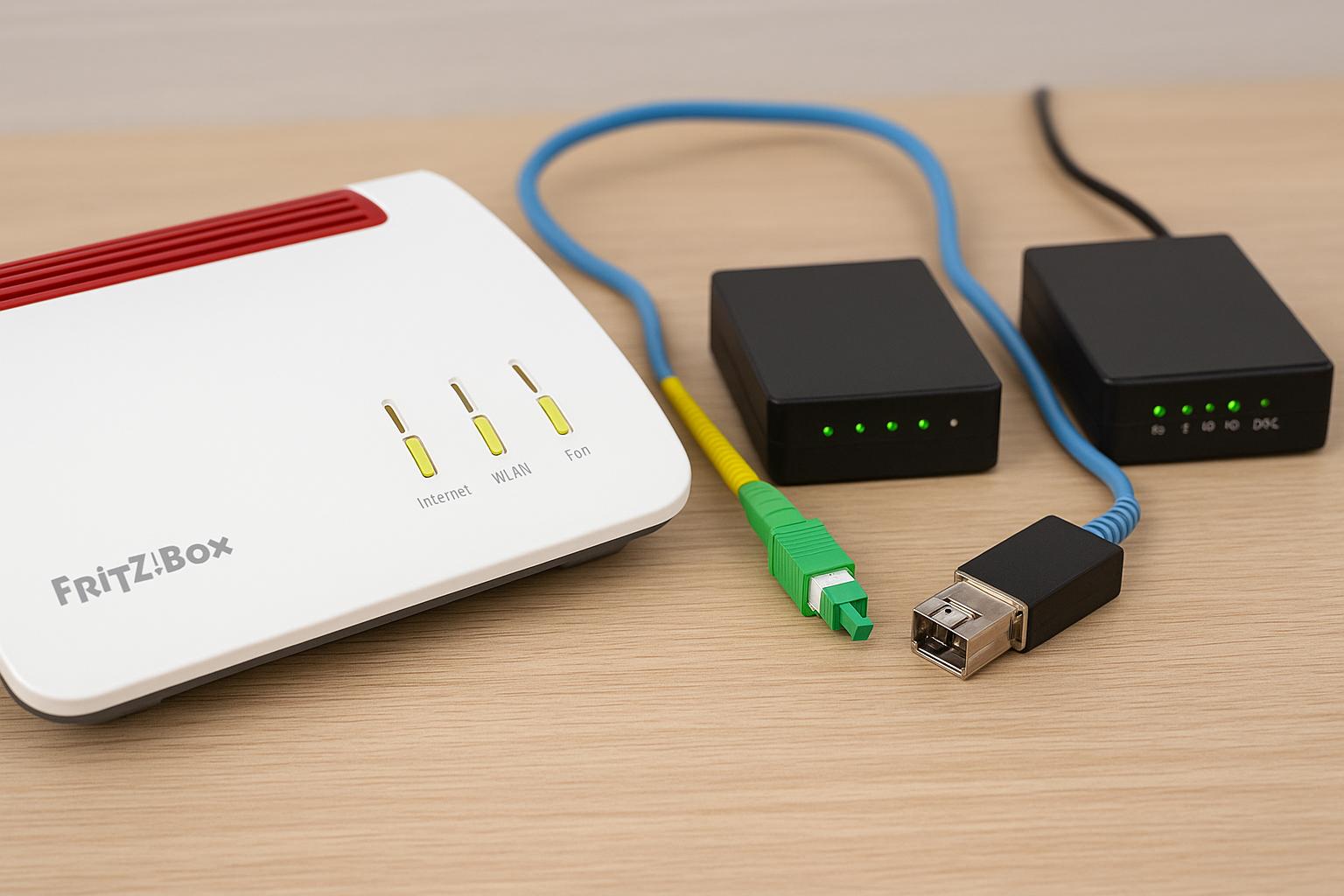
Anyone looking for a Fritz!Box for fiber connections or traditional DSL connections today quickly faces a crucial question: Is a DSL router enough, do I need a pure fiber model, or does a combination with ONT or SFP module make more sense? In my practice as a tech editor, I regularly experience that many households are caught between worlds – still on DSL today, but switching to FTTH fiber in one to two years.
In this article, I'll guide you systematically through the most important basics, introduce you to the relevant Fritz!Box models, and show you how to plan future-proof combinations for the transition from DSL to fiber. I'll cover both traditional DSL routers and routers for fiber connections with ONT or SFP modules.
Basics: Understanding Fritz!Box, DSL, Fiber, ONT and SFP
Before we get to specific models, it's worth taking a brief look at the technology behind them. Many confusions in purchase decisions arise simply because terms like VDSL, supervectoring, FTTH, ONT and SFP get mixed up.
Differences between DSL, VDSL, Supervectoring and FTTH Fiber
DSL (ADSL) is the traditional copper connection technology over the telephone line. In practice, it offers download speeds up to about 16 Mbit/s, sometimes a bit more in some variants. This is still sufficient for small households without major streaming demands, but DSL is rather legacy technology from a future perspective.
VDSL is the advanced copper technology where the exchange moves closer to your connection (usually to the street cabinet). Typical tariffs range between 50 and 100 Mbit/s. For the majority of households, this is currently sufficient.
Supervectoring (VDSL Profile 35b) is an even more improved VDSL variant that reduces interference between lines through technical tricks. This makes tariffs up to 250 Mbit/s possible. Important: Not every DSL router supports supervectoring – for this you explicitly need a supervectoring-capable Fritz!Box model like the 7530 AX or 7590 AX.
FTTH fiber (Fiber to the Home) goes one step further: The fiber comes directly into your apartment or house. Gigabit speeds are possible here (1 Gbit/s, 2.5 Gbit/s, sometimes even 10 Gbit/s). Instead of the telephone twisted pair, you have a fiber optic cable with optical signal. For this you need either a router for fiber connections with integrated optical input or an external fiber modem (ONT).
Role of ONT, SFP Module and Integrated Fiber Connection on the Fritz!Box
With FTTH fiber, three typical terms appear that describe quite different scenarios in practice:
- ONT (Optical Network Termination): This is your provider's "fiber modem". The fiber arrives at the ONT, and the ONT converts the optical signal into an Ethernet signal (LAN). Behind it, you can operate almost any current Fritz!Box as a normal router via WAN port.
- SFP Module: This is a small plug-in module for fiber that is inserted directly into an SFP slot on your Fritz!Box. This essentially takes over the function of the ONT in the router. But: Compatibility depends on the SFP module used and your provider.
- Integrated Fiber Connection: Models like the Fritz!Box 5530 Fiber or 5590 Fiber have their own optical connection. Depending on the provider, the appropriate fiber optic cable is connected directly here, sometimes with specially tuned SFP transceivers.
From my experience, the ONT scenario is the most straightforward for most users, while SFP solutions require more fine-tuning and provider coordination. In many new development areas, providers therefore deliberately rely on ONT + router combinations.
Fritz!Box for DSL Connections: Models and Use Cases
Anyone who currently still has a DSL or VDSL connection first needs a router with integrated DSL modem. The Fritz!Box 7530 AX and 7590 AX are among the best-known candidates here.
Important DSL Models (e.g. 7530 AX, 7590 AX) and Their Target Groups
In practice, the popular DSL models can be roughly divided according to performance and features:
| Model | Recommended Use | Special Features |
|---|---|---|
| Fritz!Box 7530 AX | Single household, small apartment | Budget entry, Wi-Fi 6, supervectoring-capable |
| Fritz!Box 7590 AX | Families, home office | Strong WLAN, many connections, extensive telephone system |
| Fritz!Box 7430/7490 (older) | Legacy devices | Rather for slower connections, no Wi-Fi 6 |
Fritz!Box 7530 AX: From my perspective, currently the best entry-level Fritz!Box for budget-conscious DSL customers. It offers Wi-Fi 6, supports supervectoring, and reliably handles typical 50–250 Mbit/s connections. For small apartments with few devices, the 7530 AX is completely sufficient.
Fritz!Box 7590 AX: Here you get the "full equipment" among DSL routers. More antennas, better WLAN range, more LAN ports, stronger telephone system with multiple analog/ISDN connections and DECT base station. In households with home office, multiple floors, or many parallel streams, I notice a clear added value compared to the 7530 AX in practice.
Supported Connection Types: ADSL, VDSL, Supervectoring (Profile 35b)
Modern DSL Fritz!Boxes like 7530 AX and 7590 AX cover three connection types:
- ADSL/ADSL2+ – classic DSL connections up to about 16 Mbit/s
- VDSL2 – up to 50 or 100 Mbit/s depending on tariff
- VDSL Supervectoring (Profile 35b) – up to 250 Mbit/s with corresponding tariffs
If you're still on ADSL today, I still recommend a supervectoring-capable model when buying a router. Many providers are switching to VDSL or FTTC (Fiber to the Curb) in the medium term, and then you'll directly benefit from the higher speed without buying new hardware.
Fritz!Box for Fiber Connections: Variants Overview
As soon as FTTH expansion progresses in the street, the question quickly arises: Do I need a special router for fiber connections? The answer is: not necessarily, but it can make sense.
Fiber Routers with Integrated Connection (e.g. 5530 Fiber, 5590 Fiber)
AVM offers routers with the Fritz!Box 5530 Fiber and 5590 Fiber that show their strength directly on fiber connections:
| Feature | Fritz!Box 5530 Fiber | Fritz!Box 5590 Fiber |
|---|---|---|
| Target Group | Apartment, small house | Large households, power users |
| Max. Speed | up to 2.5 Gbit/s | up to 10 Gbit/s (depending on connection) |
| WLAN | Wi-Fi 6, solid range | Stronger Wi-Fi 6, more antennas |
Both models rely on an integrated fiber connection via SFP slot with optimized modules for various network operators (AON, GPON, XGS-PON etc., depending on variant and country). In practice, you get a very tidy setup: fiber in, Fritz!Box connected, done – without extra ONT.
Using Fritz!Box with External ONT or Optional SFP Module
Many providers – such as Telekom, Vodafone or regional utilities – prefer using an external ONT instead of integrated routers. This usually looks like a small modem or media converter and provides you with a completely normal Ethernet signal.
In this case, you can also use a classic DSL Fritz!Box with WAN port. The DSL modem remains unused, but the box takes over routing, WLAN, telephony and smart home functions. I myself operate a 7590 AX on a fiber ONT – works absolutely reliably.
It gets interesting with SFP modules in certain Fritz!Box models. Some routers (e.g. 5530/5590 or special provider variants) have SFP slots into which you can insert matching fiber modules. However, you must pay very close attention to your network operator's specifications: Not every generic SFP module is accepted, sometimes authentication is tied to the provider ONT's hardware.
ONT vs. SFP Module: Which Solution Fits Which Connection?
Whether you're better off with an external ONT or an SFP module directly in the Fritz!Box depends on comfort, flexibility and your provider's requirements.
Functionality and Pros and Cons of External ONT
The ONT handles the complete optical conversion and simply provides your router with an Ethernet port. This has several practical advantages:
- Maximum compatibility: Any router with WAN/LAN port works behind it.
- Easy provider support: Faults are usually measured and diagnosed at the ONT.
- Router change quickly possible without touching the fiber technology.
- An additional device including power supply occupies socket and space.
- Minimally higher energy consumption than with full integration in the router.
- Often no access to diagnostic values of the fiber link in the Fritz!Box menu.
I recommend ONT solutions especially to users who want to tinker as little as possible and don't want to constantly deal with SFP compatibility lists.
SFP Plug-in Modules, Compatible Fritz!Box Models and Provider Requirements
SFP modules are technically elegant: Instead of a separate ONT, the fiber logic sits directly in the router. For ambitious users who want to keep their network very lean, this is appealing. In practice, however, you must consider the following:
- Only certain Fritz!Box models have SFP slots (e.g. 5530/5590 Fiber or special models from providers).
- The SFP module (AON, GPON, XGS-PON etc.) must match your fiber network exactly.
- Many providers only accept their own, pre-provisioned modules or ONTs.
In my projects with regional fiber providers, it repeatedly shows: Anyone who wants to use a fully integrated fiber Fritz!Box should explicitly ask about approvals and compatibility lists before signing a contract. Otherwise, nasty surprises threaten during activation.
Important Purchase Criteria: Features, WLAN, Telephony and Mesh
Once the question "DSL router or router for fiber connections?" is clarified, it's about the inner values of the Fritz!Box. Because a fast connection is of little use if the WLAN drops out in the last room.
Evaluating WLAN Standards (Wi-Fi 5/6/7), Number of Antennas and Range
Currently, Wi-Fi 5 (802.11ac) and Wi-Fi 6 (802.11ax) are mainly relevant in the Fritz!Box portfolio. Wi-Fi 7 is rather future music in the AVM portfolio as of today (end of 2024/2025).
- Wi-Fi 5: Sufficient for many everyday applications, but sometimes overloaded faster in dense apartment buildings.
- Wi-Fi 6: More parallel streams, more efficient handling of many devices, usually better latencies – noticeable in households with many smartphones, streaming clients and smart home gadgets.
More important than the bare standard designation is the number of antennas and transmission power. High-end models like the 7590 AX or 5590 Fiber have more radio streams and thus distribute the signal more stably to larger apartments or single-family houses.
Comparing Telephony Functions, DECT, Smart Home and Mesh Functions
The strength of a Fritz!Box for me has been for years in the integration of telephone system, DECT base and smart home. When buying, you should check:
- Do you need classic telephone connections (analog/ISDN) for old phones, fax machines or door intercoms?
- Do you want to register DECT phones directly to the Fritz!Box and possibly use Fritz!DECT sockets or radiator controllers?
- Are you planning a mesh WLAN with multiple Fritz!Repeaters or additional Fritz!Boxes as mesh slaves?
If you only use IP telephony and smartphones today, a somewhat stripped-down box like the 5530 Fiber can be completely sufficient. In a household with multiple landline phones, fax or complex call routing, a model with extensive telephone system like the 7590 AX or 5590 Fiber is more worthwhile.
Checking Compatibility with Providers and Connection Types
The best Fritz!Box is of little use if it's not officially supported by the chosen provider or only runs in router constraint behind a provider box. Therefore, it's worth looking at typical scenarios.
Notes on Use with Telekom, Vodafone, 1&1 and Regional Fiber Providers
With Telekom, 1&1 and Vodafone, the situation varies:
- DSL/VDSL: Fritz!Box routers like 7530 AX or 7590 AX can usually be operated directly on the connection without problems. The access data is usually available in the customer portal.
- FTTH Fiber: You often receive an ONT or provider box. Your own Fritz!Box can then be operated either directly (with VLAN configuration) or in the so-called PPPoE passthrough/bridge mode – depending on the provider.
- Regional fiber providers: Here it's definitely worth looking at compatibility lists or relevant experience reports, as some only allow certain Fritz!Box models or no own routers at all.
Bridge Mode, Provider Router, Double NAT and Alternatives to Mandatory Hardware
In many fiber networks, you receive a provider box that is officially required in the network termination. You then have three options:
- Provider box in bridge/modem mode (if available) and your Fritz!Box behind it as main router.
- Fritz!Box as IP client behind the provider box to at least use WLAN, telephony or mesh.
- Complete replacement of the provider box (only if officially allowed and technically possible).
- Double NAT can cause problems with port forwarding, VPN or gaming.
- Not every provider offers a real bridge mode.
- With complete replacement, you bear responsibility for correct setup and fault diagnosis.
In my projects, I try to avoid double NAT wherever possible. If your provider doesn't offer bridge mode, it's worth taking a close look at forum reports about your network operator – there you often find proven workarounds.
Model Selection by Use Scenario: Practical Recommendations
The decision becomes easiest when you think from your own everyday life: How many people use the connection, how many devices are on the network, and is a move to fiber foreseeable?
Recommendations for Single Household, Family, Home Office and Power Users
| Use Scenario | Recommended Fritz!Box | Justification |
|---|---|---|
| Single, small apartment, DSL/VDSL | Fritz!Box 7530 AX | Affordable, Wi-Fi 6, sufficient reserves |
| Family with multiple rooms/floors | Fritz!Box 7590 AX | Strong WLAN, large telephone system, ideal as mesh center |
| FTTH apartment, 1 Gbit/s | Fritz!Box 5530 Fiber | Direct fiber connection, lean setup |
| Large house, home office, high load | Fritz!Box 5590 Fiber or 7590 AX + ONT | Lots of power, future-proof, very good WLAN |
If you're still surfing on VDSL today but fiber expansion is concretely announced, I would personally either go with a 7590 AX (now) + ONT later or directly plan a Fritz!Box 5590 Fiber, provided your future provider supports it.
Future-proof Combinations for Transition from DSL to Fiber
Many readers ask me whether they can save themselves the double hardware purchase given upcoming FTTH projects. Two strategies have proven successful here:
Variant 1 – DSL today, fiber with ONT tomorrow: Now buy a Fritz!Box 7590 AX as a powerful DSL router, later with fiber connect the provider ONT in front and continue using the 7590 AX as a pure router. You simply use the WAN port then.
Variant 2 – Go directly for fiber box: If your planned FTTH provider officially approves the Fritz!Box 5530 or 5590, you can already plan these for the fiber start. For the transition period with DSL, an emergency solution with upstream modem can be realized in some scenarios, but definitely check in detail here.
For a deeper technical comparison between a Fritz!Box 5590 Fiber and a 7590 AX in combination with fiber modem, I recommend the detailed practical report: [url="https://www.siio.de/quack/4718/fritzbox-5590-vs-7590ax-mit-modem—was-ist-besser/",name="Fritz!Box 5590 vs. 7590 AX with Modem – which is better?",title="This link leads to a comparison of the Fritz!Box 5590 and 7590 AX"]
Purchase Recommendation and Checklist for the Right Fritz!Box
In conclusion, I summarize the most important points in a compact checklist. It helps you avoid bad purchases and choose a Fritz!Box that really covers your everyday needs.
Quick Checklist: Connection Type, Provider, Speed, Features
- Connection today: ADSL, VDSL, supervectoring or already FTTH fiber?
- Expansion perspective: Is fiber announced in the next 1–3 years?
- Provider requirements: List of supported routers, ONT requirement, bridge mode available?
- Bandwidth: Are 50–100 Mbit/s enough, or do you plan 500 Mbit/s to 1 Gbit/s and more?
- Living situation: Small apartment, large house, multiple floors? Need for mesh?
- Telephony: Only IP/SIP, or do you need analog/ISDN connections and DECT?
- WLAN demands: Many parallel devices, gaming, 4K streams, home office?
Specific Model Suggestions for DSL-only, Fiber-only and Hybrid Scenarios
| Scenario | Recommendation | Brief Justification |
|---|---|---|
| DSL only, no fiber in sight | Fritz!Box 7530 AX (budget) or 7590 AX (comfort) | Supervectoring, Wi-Fi 6, proven all-rounders |
| DSL today, fiber tomorrow | Fritz!Box 7590 AX + ONT later | DSL modem now, router behind fiber modem later |
| Pure fiber connection (FTTH) | Fritz!Box 5530 Fiber (compact) or 5590 Fiber (maximum) | Direct fiber connection, optimized for high bandwidths |
| Power users with many devices | Fritz!Box 5590 Fiber or 7590 AX + powerful repeaters | Strong WLAN, large telephone system, very good mesh base |
If you want to save additionally when buying or are looking for specific product recommendations, it's worth looking at current offers. A frequently chosen model in online retail is e.g.: [asin="B09ZD4LFR3",type="standard"]
My Final Recommendation
If you're currently on DSL and fiber is still uncertain, you're on the safe side with a Fritz!Box 7530 AX (small household) or 7590 AX (family, home office). If the FTTH connection is already concretely planned, I would check whether your provider officially supports Fritz!Box 5530 or 5590 Fiber – then you have a lean, directly integrated solution.
For an in-depth consideration between "high-end fiber box" and "classic DSL router with external modem", I recommend the detailed comparison again: [url="https://www.siio.de/quack/4718/fritzbox-5590-vs-7590ax-mit-modem—was-ist-besser/",name="Read Fritz!Box 5590 vs. 7590 AX with modem comparison",title="This link leads to the comparison of Fritz!Box 5590 Fiber and 7590 AX"] – there you'll find additional practical values and performance measurements.
Use the checklist above, compare it with your provider and living situation, and then choose the Fritz!Box that really fits you for the next few years – instead of having to buy new hardware every year.

